
Cockpit Reference Guide




Garmin G1000 Cockpit Reference Guide for the Beechcraft 300/B300 Series
190-01344-01 Rev. A 45
Hazard Avoidance
Flight
Instruments
Nav/Com/
XPDR/Audio AFCS GPS Nav
Flight
Planning Procedures
Hazard
Avoidance
Additional
Features Annun/Alerts Appendix Index
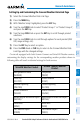
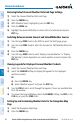
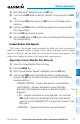
Setting Up and Customizing the Connext Weather Data Link Page
1)
Select the Connext Weather Data Link Page.
2)
Press the
MENU
Key.
3)
With ‘Weather Setup’ highlighted, press the
ENT
Key.
4)
Turn the small
FMS
Knob to select ‘Product Group 1’ or ‘Product Group 2’,
and press the
ENT
Key.
5)
Turn the large
FMS
Knob or press the
ENT
Key to scroll through product
selections.
6)
Turn the small
FMS
Knob to scroll through options for each product (ON/
OFF, range settings, etc.).
7)
Press the
ENT
Key to select an option.
8)
Press the FMS Knob or CLR Key to return to the Connext Weather Data
Link Page with the changed settings.
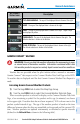
On aircraft equipped with both Garmin Connext and SiriusXM Weather services,
customizing the display settings for the corresponding weather products shown in
following table will result in identical settings for both services.
SiriusXM Weather Product
Garmin Connext Weather
Product
Next-generation Radar
(NEXRAD)
Precipitation
(PRECIP)
Cloud Top
(CLD TOP)
Infrared Satellite
(IR SAT)
SiriusXM Lightning
(XM LTNG)
Connext Lightning
(DL LTNG)
SIGMETs/AIRMETs
(SIG/AIR)
SIGMETs/AIRMETs
(SIG/AIR)
Meteorological Aerodrome Report
(METARs)
Meteorological Aerodrome Report
(METARs)
Winds Aloft
(WIND)
Winds Aloft
(WIND)
Pilot Weather Report
(PIREPs)
Pilot Weather Report
(PIREPs)