
Cockpit Reference Guide

Garmin G1000 Cockpit Reference Guide for the Beechcraft 200/B200 Series
190-00929-04 Rev. A
50
Hazard Avoidance
Flight
Instruments
Nav/Com/
XPDR/AudioAFCSGPS Nav
Flight
PlanningProcedures
Hazard
Avoidance
Additional
FeaturesAnnun/AlertsAppendixIndex
•
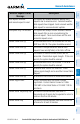
PRESENT POSITION – Requests data based on current location.
•
DESTINATION – Requests data based on active flight plan
destination (if the flight plan contains no destination, dashes ‘------” are
displayed.)
•
FPL – Requests data based on active flight plan. Turn the small
FMS Knob to select the desired flight plan look-ahead distance
option (or choose ‘REMAINING FPL’ to request the remainder of the
flight plan).
•
WAYPOINT – Requests data based on any valid waypoint.
5)
Turn the large FMS Knob highlight to the ‘DIAMETER / RTE WIDTH’
distance field and turn the small FMS Knob to select the desired diameter
and route width of the request, then press the
ENT
Key.
6)
Turn the large FMS Knob until the ‘SEND REQ’ button is highlighted. Press
the
ENT
Key to initiate the request immediately or press the FMS Knob to
return to the Connext Data Link Page without requesting data.
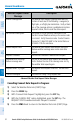
During a Connext Data Request, the REQUEST STATUS window initially displays
“Contacting Connext...”. Once a connection is established, the REQUEST STATUS
window displays “Receiving Wx Data... Time Remaining:” with an estimated data
transfer time (either in minutes or seconds). If desired, the Connext Data Request
window may be closed while the data request is processing by pressing the FMS
Knob; the data request will continue to process in the background. Connext Data
Requests typically take between 1 to 4 minutes to complete depending on the size of
the selected weather coverage area(s), the amount of weather activity present (such as
precipitation), and the Iridium signal strength.
The system retrieves all available Garmin Connext weather products within
the selected coverage area(s) during an initial Connext Data Request. Enabling or
disabling the display of the weather product does not affect which weather products
are retrieved during a Connext Data Request.
To reduce data usage during subsequent requests, the system retains previously
retrieved textual weather products such as METARs and TAFs, so long as they have
not expired. The system also retrieves any new textual weather products matching the
current coverage area, and all graphical weather products during each data request.
If the Connext Data Request was successful, the REQUEST STATUS window (if
shown) indicates ‘OK’. Refer to the Abnormal Operations discussion later in this
section for more information on the messages received if the request is unsuccessful,
with possible causes.