
Pilot's Guide





Garmin G1000 Pilot’s Guide for the Beechcraft C90A/GT/GTi
190-00663-03 Rev. A84
FLIGHT INSTRUMENTS
TRAFFIC ANNUNCIATION
The System displays traffic symbolically on the Inset Map (PFD), the Navigation Map Page (MFD), and various
other MFD page maps. Refer to the Hazard Avoidance Section for more details about the Traffic Information
Service (TIS) and optional Traffic Advisory Systems (TAS). When a traffic advisory (TA) is detected, the following
automatically occurs:
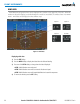
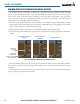
• The PFD Inset Map is enabled, displaying traffic (Figure 2-44)
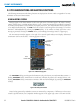
• A flashing black-on-yellow TRAFFIC annunciation (Figure 2-45) appears to the top left of the Attitude
Indicator for five seconds and remains displayed until no TAs are detected in the area
• A single “Traffic” voice alert is generated, unless an optional Traffic Advisory System (TAS) or Traffic Alert and
Collision Avoidance System (TCAS) is installed (refer to the applicable TAS/TCAS documentation for alerts
generated by the equipment)
If additional TAs appear, new visual annunciations appear with voice alerts.
Figure 2-44 Inset Map with Traffic Displayed
Traffic
Symbols
Figure 2-45 Traffic Annunciation
TAWS ANNUNCIATIONS
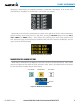
Terrain Awareness and Warning System (TAWS) annunciations appear on the PFD to the upper left of
the Altimeter. Refer to the Hazard Avoidance Section and Appendix A for information on TAWS alerts and
annunciations.
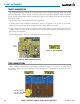
Figure 2-46 Traffic and Example TAWS Annunciations
Inset Map Enabled,
Displaying Traffic
When TA Detected