
Pilot's Guide





190-00663-03 Rev. A
Garmin G1000 Pilot’s Guide for the Beechcraft C90A/GT/GTi
83
FLIGHT INSTRUMENTS
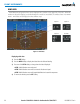
discrepancy is annunciated in the Comparator Window as a ‘MISCOMP’ (miscompare). If one or both of the
sensed values are unavailable, it is annunciated as a ‘NO COMP’ (no compare).
Figure 2-41 Comparator Window
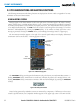
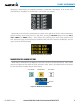
Reversionary sensor selection is annunciated in a window on the right side of the PFD. These annunciations
reflect reversionary sensors selected on one or both PFDs. Pressing the SENSOR Softkey accesses the ADC1,
ADC2, AHRS1, and AHRS2 softkeys. These softkeys allow switching of the sensors being viewed on each
PFD. With certain types of sensor failures, the G1000 may make some sensor selections automatically. The GPS
sensor cannot be switched manually.
Figure 2-42 Reversionary Sensor Window
MARKER BEACON ANNUNCIATIONS
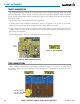
Marker Beacon Annunciations are displayed on the PFD to the left of the Selected Altitude. Outer marker
reception is indicated in blue, middle in yellow, and inner in white. Refer to the Audio Panel and CNS Section
for more information on Marker Beacon Annunciations.
Figure 2-43 Marker Beacon Annunciations
Inner MarkerMiddle MarkerOuter Marker
Altimeter