
Pilot's Guide





190-00663-03 Rev. A
Garmin G1000 Pilot’s Guide for the Beechcraft C90A/GT/GTi
61
FLIGHT INSTRUMENTS
ALTIMETER
The Altimeter displays 600 feet of barometric altitude values at a time on a moving tape rolling number gauge.
Numeric labels and major tick marks are shown at intervals of 100 feet. Minor tick marks are at intervals of 20
feet. The indicated altitude is displayed inside the black pointer.
The Selected Altitude is displayed above the Altimeter in the box indicated by a selection bug symbol. A bug
corresponding to this altitude is shown on the tape. If the Selected Altitude exceeds the range shown on the
tape, the bug appears at the upper or lower edge of the tape. When the metric value is selected it is displayed
in a separate box above the Selected and Indicated Altitudes (Figure 2-11). See the AFCS Section for more
information about Selected Altitude.
The Altitude Trend Vector is a vertical magenta line that appears to the left of the altitude range strip when
the aircraft is either climbing or descending. One end of the magenta line is anchored to the tip of the altitude
pointer while the other end moves continuously up or down according to the rate of vertical speed. For any
constant rate of vertical speed, the moving end of the line shows approximately what the indicated altitude
value will be in six seconds. The trend vector is absent if the altitude remains constant or if data needed for
calculation is not available due to a system failure.
Setting the Selected Altitude:
Turn the
ALT SEL
Knob to set the Selected Altitude in 100-ft increments.
If set, the Minimum Descent Altitude/Decision Height (MDA/DH) value is also available for the Selected Altitude.
When the altimeter is configured for metric units, the selected altitude is adjusted in 50 meter increments.
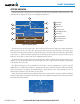
Figure 2-11 Altimeter
MDA/DH
Altitude
Bug
Barometric
Setting
Altitude
Trend
Vector
Selected
Altitude
Bug
Selected
Altitude
Indicated
Altitude
Barometric
Setting Box
(Hectopascals)
Indicated
Altitude
(Meters)
Selected
Altitude
(Meters)