
Pilot's Guide




Garmin G1000 Pilot’s Guide for the Beechcraft C90A/GT/GTi
190-00663-03 Rev. A 541
ADDITIONAL FEATURES
GDL 69/69A DATA LINK RECEIVER TROUBLESHOOTING
Some quick troubleshooting steps listed below can be performed to find the possible cause of a failure.
• Ensure the owner/operator of the aircraft in which the Data Link Receiver is installed has subscribed to
SiriusXM
• Ensure the SiriusXM subscription has been activated
• Perform a quick check of the circuit breakers to ensure that power is applied to the Data Link Receiver
• Ensure that nothing is plugged into the MUSIC 1 or MUSIC 2 jacks because that would prevent SiriusXM
radio from being heard
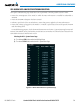
For troubleshooting purposes, check the LRU Information Box on the AUX - System Status Page for Data Link
Receiver (GDL 69/69A) status, serial number, and software version number. If a failure has been detected in the
GDL 69/69A the status is marked with a red X.
Selecting the AUX - System Status Page:
1) Turn the large FMS Knob to select the AUX Page Group.
2) Turn the small FMS Knob to select the AUX - System Status Page.
Figure 8-91 LRU Information Window on System Status Page