
Pilot's Guide






190-00663-03 Rev. A
Garmin G1000 Pilot’s Guide for the Beechcraft C90A/GT/GTi
39
SYSTEM OVERVIEW
DAte/tiMe
The G1000 obtains the current Universal Coordinated Time (UTC) date and time directly from the GPS
satellite signals (shown on the AUX - GPS Status Page). System time (displayed in the lower right corner of
the PFD) can be displayed in three formats: local 12-hr, local 24-hr, or UTC. Local time is set by adding/
subtracting an offset (hours:minutes) to/from UTC.
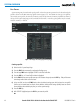
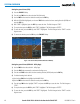
Figure 1-34 System Time (Local 24-hr Format)
Configuring the system time:
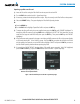
1) Select the AUX - System Setup Page.
2) Press the FMS Knob to activate the cursor.
3) Turn the large FMS Knob to highlight the ‘Time Format’ field.
4) Turn the small FMS Knob to select the desired format and press the ENT Key to confirm selection. The ‘Time
Offset’ field is highlighted.
5) Use the FMS Knob to enter the desired time offset (±HH:MM) and press the ENT Key to confirm selection.
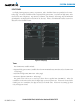
Figure 1-35 Date/Time Settings (System Setup Page)