
Pilot's Guide




190-00663-03 Rev. A
Garmin G1000 Pilot’s Guide for the Beechcraft C90A/GT/GTi
397
HAZARD AVOIDANCE
ALTITUDE DISPLAY
Changing the altitude display mode:
1) On the Traffic Page, select the
ALT MODE
Softkey.
2) Select one of the following Softkeys:
• BELOW
• NORMAL
• ABOVE
• UNREST (unrestricted)
3) To return to the Traffic Page, select the BACK Softkey.
Or:
1) Press the MENU Key.
2) Turn the small
FMS
Knob
to select one of the following:
• BELOW
• NORMAL
• ABOVE
• UNREST (unrestricted)
3) Press the ENT Softkey.
TRAFFIC MAP PAGE DISPLAY RANGE
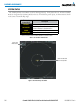
The display range on the Traffic Map Page can be changed at any time. Map range is adjustable with the
Joystick from 2 to 40 nm, as indicated by the map range rings.
Changing the display range on the Traffic Page:
1) Turn the Joystick.
2) The following range options are available:
• 2 nm
• 2 and 6 nm
• 6 and 12 nm
• 12 and 24 nm*
• 24 and 40 nm*
* Range available only on the SKY899 TAS.