
Pilot's Guide




190-00663-03 Rev. A
Garmin G1000 Pilot’s Guide for the Beechcraft C90A/GT/GTi
391
HAZARD AVOIDANCE
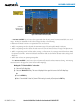
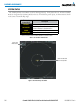
The traffic mode is annunciated in the upper left corner of the Traffic Map Page. When the aircraft is on the
ground, TIS automatically enters Standby Mode. If traffic is selected for display on another map while Standby
Mode is selected, the traffic display enabled icon is crossed out (also the case whenever TIS has failed). Once
the aircraft is airborne, TIS switches to Operating Mode and traffic information is displayed. The mode can be
changed manually using softkeys or the page menu.
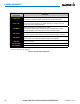
Mode
Traffic Mode Annunciation
(Traffic Map Page)
Traffic Display Status Icon
(Other Maps)
TIS Operating OPERATING
TIS Standby
STANDBY
(also shown in white in center of page)
TIS Failed* FAIL
* See Table 6-15 for additional failure annunciations
Table 6-14 TIS Modes
Switching between TIS modes:
1) Select the Traffic Map Page.
2) Select the
STANDBY
or
OPERATE
Softkey to switch between modes. The mode is displayed in the upper left
corner of the Traffic Map Page.
Or:
a) Press the
MENU
Key.
b) Select ‘Operate Mode’ or ‘Standby Mode’ (choice dependent on current state) and press the ENT Key. The
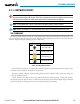
annunciations to indicate the status of traffic information appear in a banner at the lower left corner
of maps on which traffic can be displayed (Table 6-15).