
Pilot's Guide




190-00663-03 Rev. A
Garmin G1000 Pilot’s Guide for the Beechcraft C90A/GT/GTi
387
HAZARD AVOIDANCE
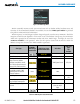
Figure 6-102 Navigation Map Page Setup Menu
Figure 6-101 Navigation Map Page Menu
Figure 6-103 Navigation Map Page Setup Menu, Traffic Group
TRAFFIC MAP PAGE
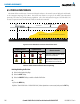
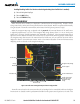
The Traffic Map Page is specialized to show surrounding TIS traffic data in relation to the aircraft’s current
position and altitude, without clutter from the basemap. Aircraft orientation on this map is always heading up
unless there is no valid heading. Map range is adjustable with the Joystick from two to 12 nm, as indicated by
the map range rings.
The traffic mode is annunciated in the upper left corner of the Traffic Map Page. When the aircraft is on the
ground, TIS automatically enters Standby Mode. Once the aircraft is airborne, TIS switches from Standby to
Operating Mode and the system begins to display traffic information. Refer to the System Status discussion for
more information.
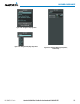
Displaying traffic on the Traffic Map Page:
1) Turn the large
FMS
Knob to select the Map Page Group.
2) Turn the small
FMS
Knob
to select the Traffic Map Page.
3) Confirm TIS is in Operating Mode:
Select the
OPERATE
Softkey to begin displaying traffic.
Or:
a) Press the
MENU
Key.
b) Select ‘Operate Mode’ (shown if TIS is in Standby Mode) and press the ENT Key.