
Pilot's Guide





Garmin G1000 Pilot’s Guide for the Beechcraft C90A/GT/GTi
190-00663-03 Rev. A370
HAZARD AVOIDANCE
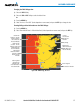
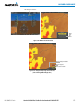
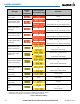
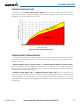
Figure 6-82 Navigation Map Page Setup Menu
Figure 6-81 Navigation Map Page Menu
Figure 6-83 Navigation Map Page Setup Menu, Map Group
TAWS-B PAGE
The TAWS-B Page is specialized to show terrain, obstacle, and potential impact point data in relation to
the aircraft’s current altitude, without clutter from the basemap. It is the principal page for viewing TAWS-B
information. Aviation data (airports, VORs, and other NAVAIDs) can be enabled for reference. If an obstacle
and the projected flight path of the aircraft intersect, the display automatically zooms in to the closest potential
point of impact on the TAWS-B Page.
Aircraft orientation on this map is always heading up unless there is no valid heading. Two views are available
relative to the position of the aircraft: the 360° default display and the radar-like ARC (120°) display. Map range
is adjustable with the Joystick from 1 to 200 nm, as indicated by the map range rings (or arcs).
Displaying the TAWS-B Page:
1) Turn the large
FMS
Knob to select the Map Page Group.
2) Turn the small
FMS
Knob
to select the TAWS-B Page.