
Pilot's Guide





190-00663-03 Rev. A
Garmin G1000 Pilot’s Guide for the Beechcraft C90A/GT/GTi
341
HAZARD AVOIDANCE
The setup menus for the Navigation Map Page control the map range settings above which TFR data is
decluttered from the display. If a map range larger than the TFR product map range setting is selected, the TFR
product data is removed from the map.
Maps other than the Navigation Map Page use settings based on those selected for the Navigation Map Page.
Setting up and customizing TFR data for maps on which TFR data can be displayed:
1) Select the Navigation Map Page.
2) Press the MENU Key.
3) With Map Setup highlighted, press the
ENT
Key (Figure 6-50).
4) Turn the small FMS Knob to select the Aviation Group and press the ENT Key (Figure 6-51).
5) Turn the large
FMS
Knob to scroll to the TFR product range setting (Figure 6-52).
6) Turn the small
FMS
Knob to scroll through options (Off, range settings).
7) Press the
ENT
Key to select an option.
8) Press the FMS Knob or CLR Key to return to the Navigation Map Page with the changed settings.
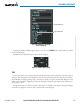
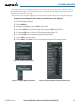
Figure 6-51 Navigation Map Page Setup Menu
Figure 6-50 Navigation Map Page Menu
Figure 6-52 Navigation Map Page Setup Menu, Weather Group