
Pilot's Guide





Garmin G1000 Pilot’s Guide for the Beechcraft C90A/GT/GTi
190-00663-03 Rev. A338
HAZARD AVOIDANCE
PIREPS AND AIREPS
Pilot Weather Reports (PIREPs) (Figure 6-45) are in-flight weather observations collected from pilots.
When significant weather conditions are reported or forecast, Air Traffic Control (ATC) facilities are required
to solicit PIREPs. A PIREP may contain adverse weather conditions, such as low in-flight visibility, icing
conditions, wind shear, and turbulence. PIREPs are issued as either Routine (UA) or Urgent (UUA).
Another type of PIREP is an Air Report (AIREP). Commercial airlines typically generate AIREPs.
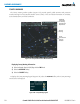
Figure 6-45 AIREPs and PIREPs on the Weather Data Link (XM) Page
Instructions for
Viewing PIREP
and AIREP Text
PIREP
Selected
Urgent
PIREP
AIREP
Displaying PIREP and AIREP text:
1) Select the Weather Data Link (XM) Page.
2) Select the
MORE WX
Softkey.
3) Select the
AIREPS
or
PIREPS
Softkey.
4) Press the Joystick and pan to the desired weather report. A gray circle will appear around the weather report
when it is selected.
5) Press the ENT Key. The Weather Information Page is shown with PIREP or AIREP text. The data is first displayed
in a decoded fashion, then as raw text.
6) Use the FMS Knob or the ENT Key to scroll through the PIREP or AIREP text.
7) Press the FMS Knob or the CLR Key to return to the Weather Data Link (XM) Page.