
Pilot's Guide





190-00663-03 Rev. A
Garmin G1000 Pilot’s Guide for the Beechcraft C90A/GT/GTi
333
HAZARD AVOIDANCE
Showing/Hiding Profile View (containing winds aloft data)
1) Select the Navigation Map Page.
2) Select the PROFILE Softkey.
Or:
1) Press the MENU Key.
2) Turn the large FMS Knob to highlight ‘Show Profile View’ or ‘Hide Profile View’ (choice dependent on current
state) and press the
ENT
Key.
Winds Aloft data inside the Profile View is enabled by default when the Profile View is displayed on the
Navigation Map Page. This behavior can be changed on the Navigation Map Page.
Enabling/disabling winds aloft data display in Profile View:
1) Select the Navigation Map Page.
2) Press the MENU Key.
3) With Map Setup highlighted, press the
ENT
Key (Figure 6-34).
4) Turn the small FMS Knob to select the Profile Group and press the ENT Key (Figure 6-35).
5) Turn the large
FMS
Knob to select ‘Profile Winds’ (Figure 6-36).
6) Turn the small
FMS
Knob to select ‘On’ or ‘Off’.
7) Press the FMS Knob or CLR Key to return to the Navigation Map Page with the changed settings.
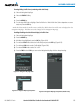
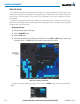
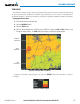
Figure 6-35 Navigation Map Page Setup Menu
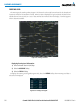
Figure 6-34 Navigation Map Page Menu
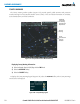
Figure 6-36 Navigation Map Page Setup Menu, Weather Group