
Pilot's Guide



Garmin G1000 Pilot’s Guide for the Beechcraft C90A/GT/GTi
190-00663-03 Rev. A322
HAZARD AVOIDANCE
CLOUD TOPS
NOTE: Cloud Tops and Echo Tops cannot be displayed at the same time.
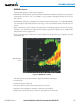
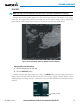
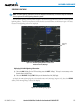
The Cloud Tops weather product (Figure 6-16) depicts cloud top altitudes as determined from satellite
imagery.
Figure 6-16 Cloud Tops Weather Product
Displaying Cloud Tops information:
1) Select the Weather Data Link (XM) Page with the
FMS
Knob.
2) Select the CLD TOP Softkey.
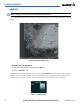
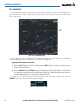
To display the Cloud Tops legend (Figure 6-17), select the LEGEND Softkey when Cloud Tops is selected
for display. Since Cloud Tops and Echo Tops use the same color scaling to represent altitude, display of these
weather products is mutually exclusive. When Cloud Tops is activated, Echo Tops data is removed.
Figure 6-17 Cloud Tops Legend