
Pilot's Guide




Garmin G1000 Pilot’s Guide for the Beechcraft C90A/GT/GTi
190-00663-03 Rev. A308
HAZARD AVOIDANCE
6.1 SIRIUSXM WEATHER
WARNING: Do not use data link weather information for maneuvering in, near, or around areas of hazardous
weather. Information contained within data link weather products may not accurately depict current
weather conditions.
WARNING: Do not use the indicated data link weather product age to determine the age of the weather
information shown by the data link weather product. Due to time delays inherent in gathering and processing
weather data for data link transmission, the weather information shown by the data link weather product
may be significantly older than the indicated weather product age.
The GDL 69/69A is a remote-mounted data link satellite receiver. It provides SiriusXM Weather data to the
system. The Multi Function Display (MFD) and the Primary Flight Display (PFD) Inset Map display the graphical
weather information and the associated text. The GDL 69A can also receive SiriusXM Satellite Radio entertainment
services. Both weather data and entertainment programming operate in the S-band frequency range to provide
continuous reception capabilities at any altitude throughout North America.
Services from SiriusXM are subscription-based. For more information on specific service packages, visit www.
siriusxm.com.
ACTIVATING SERVICES
Before SiriusXM Weather can be used, the service must be activated by providing SiriusXM’s customer service
the coded IDs unique to the installed GDL 69/69A. The SiriusXM Weather service has a coded Data Radio ID.
The Data Radio ID must be provided to activate the weather service. This ID is in the following locations:
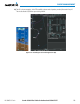
• The AUX - XM Information Page on the MFD (Figure 6-1)
• The SiriusXM Activation Instructions included with the Data Link Receiver
• The label on the back of the Data Link Receiver
Contact the installer if the Audio and Data Radio IDs cannot be located.
SiriusXM uses the coded IDs to send an activation signal that allows the system to display weather data and/
or provide audio entertainment programming through the GDL 69/69A.
Establishing an account for SiriusXM services:
1) Select the XM Page in the Auxiliary Page Group.
2) Press the INFO Softkey to display the AUX - XM Information Page.
3) Note the Data Radio ID (for SiriusXM Weather) and/or the Audio Radio ID (for SiriusXM Satellite Radio).
4) Contact SiriusXM customer service through the phone number listed on its website.
5) Provide SiriusXM customer service the Data Radio ID and/or Audio Radio ID, in addition to payment information,
and desired weather product subscription package.