
Pilot's Guide



190-00663-03 Rev. A
Garmin G1000 Pilot’s Guide for the Beechcraft C90A/GT/GTi
171
FLIGHT MANAGEMENT
FIELD OF VIEW (SVT)
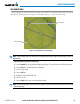
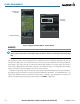
The map can display the boundaries of the PFD Synthetic Vision Technology (SVT) lateral field of view. The
field of view is shown as two dashed lines forming a V shape in front of the aircraft symbol on the map. This is
only available if SVT is installed on the aircraft.
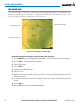
Figure 5-29 Navigation Map - Field of View
Lateral Field
of View
Boundaries
Displaying/removing the field of view:
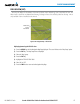
1) Press the MENU Key with the Navigation Map Page displayed. The cursor flashes on the ‘Map Setup’ option.
2) Press the ENT Key. The Map Setup Menu is displayed.
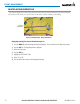
3) Select the ‘Map’ group.
4) Press the ENT Key.
5) Highlight the ‘FIELD OF VIEW’ field.
6) Select ‘On’ or ‘Off’.
7) Press the FMS Knob to return to the Navigation Map Page.