
Pilot's Guide






190-00663-03 Rev. A
Garmin G1000 Pilot’s Guide for the Beechcraft C90A/GT/GTi
145
FLIGHT MANAGEMENT
• Active flight plan leg (e.g., ‘D-> KICT’ or ‘KIXD -> KCOS’) or flight plan annunciations (e.g., ‘Turn right to
021˚ in 8 seconds’)
• Distance (DIS) and Bearing (BRG) to the next waypoint or flight plan annunciations (e.g., ‘TOD within 1
minute’)
The symbols used in the PFD status bar are:
Symbol Description Symbol Description
Active Leg Left Holding Pattern
Direct-to Vector to Final
Right Procedure Turn Right DME Arc
Left Procedure Turn Left DME Arc
Right Holding Pattern
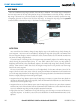
The Navigation Status Box located at the top of the MFD contains four data fields, each displaying one of the
following items:
• Bearing (BRG) • Fuel over Destination (FOD)
• Distance (DIS) • Ground Speed (GS)
• Desired Track (DTK) • Minimum Safe Altitude (MSA)
• Endurance (END) • True Air Speed (TAS)
• Enroute Safe Altitude (ESA) • Track Angle Error (TKE)
• Estimated Time of Arrival (ETA) • Track (TRK)
• Estimated Time Enroute (ETE) • Vertical Speed Required (VSR)
• Fuel on Board (FOB) • Crosstrack Error (XTK)
MFD Navigation Status Box
The navigation information displayed in the four data fields can be selected on the MFD Data Bar Fields Box
on the AUX - System Setup Page. The default selections (in order left to right) are GS, DTK, TRK, and ETE.
Changing a field in the MFD Navigation Status Box:
1) Select the System Setup Page.
2) Press the FMS Knob momentarily to activate the flashing cursor.
3) Turn the large FMS Knob to highlight the desired field number in the MFD Data Bar Fields Box.
4) Turn the small FMS Knob to display and scroll through the data options list.
5) Select the desired data.
6) Press the ENT Key. Selecting the DFLTS Softkey returns all fields to the default setting.