
Pilot's Guide




190-009663-03 Rev. A
Garmin G1000 Pilot’s Guide for the Beechcraft C90A/GT/GTi
119
AUDIO PANEL AND CNS
SELECTING THE RADIO TO BE TUNED
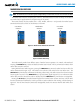
Press the small NAV Knob to transfer the frequency tuning selection and the Frequency Transfer Arrow
between the upper and lower radio frequency fields.
Figure 4-20 Switching NAV Tuning Boxes
Press the
NAV
Knob to Switch
the tuning selection from one
NAV Radio to the other
VOR/LOC ID
When the Morse code Identifier audio is on for a NAV radio, a white ID appears to the left of the active
NAV frequency.
In the example shown, in order to listen to either station identifier, press the NAV1 or NAV2 Key on the
Audio Panel. Pressing the VOL/ID Knob turns off the Morse code audio only in the radio selected for tuning
(light blue numbers). To turn off both NAV IDs, transfer the tuning selection between NAV1 and NAV2 with
the small NAV Knob and press the VOL/ID Knob again to turn the Morse code off in the other radio.
Figure 4-21 NAV Radio ID Indication
The Morse Code Identifier
for the TOP VOR is On
Station
Identifier
VOLUME
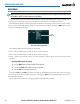
Adjust NAV Radio volume level from 0 to 100% using the
VOL/ID
Knob. Turning the knob clockwise
increases volume, counterclockwise decreases volume.
When adjusting, the level is displayed in place of the standby frequencies. Volume level indication remains
for two seconds after the change.
Figure 4-22 NAV Volume Level
NAV Volume Level
Remains for Two
Seconds