
Pilot's Guide




Garmin G1000 Pilot’s Guide for the Beechcraft C90A/GT/GTi
190-00663-03 Rev. A90
FLIGHT INSTRUMENTS
Selecting DG Free Mode:
1) Press the PFD Softkey.
2) Press the HDG MODE Softkey.
3) Press the DG FREE Softkey to enable DG Free Mode. ‘FREE’ appears next to the heading readout. Additional
softkeys become available:
• Press and hold the HDG - or HDG + Softkey to slew the current heading down or up until the desired
value is reached.
• Press the HDG SYNC Softkey to synchronize the current heading to the Selected Heading bug position.
• Press the TRK SYNC Softkey to synchronize the current heading to the current track.
4) When finished, press the BACK Softkey to return to the top-level PFD softkeys.
Selecting DG Slave Mode:
1) While operating in DG Free Mode, press the PFD Softkey.
2) Press the HDG Mode Softkey.
3) Press the DG Slave Softkey. ‘ALN’ appears next to the heading readout while the system aligns the displayed
heading to the magnetometer data.
4) Press the BACK Softkey to return to the top-level PFD softkeys.
UNUSUAL ATTITUDES
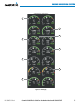
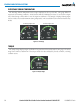
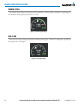
When the aircraft enters an unusual pitch attitude, red extreme pitch warning chevrons pointing toward the
horizon are displayed on the Attitude Indicator, starting at 50˚ above and 30˚ below the horizon line.
Figure 2-54 Pitch Attitude Warnings
Nose Low
Nose High