
User Guide



5-40
GPS NAVIGATION
190-00647-00 Rev. A
Garmin G1000 Pilot’s Guide for the Mooney M20M/M20R/M20TN
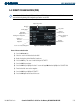
Displaying information for each additional runway:
1) Press the FMS Knob to activate the cursor.
2) Place the cursor on the runway designation field.
3) Turn the small FMS Knob to display the next runways for the selected airport.
4) Select the desired runway.
5) Press the FMS Knob to remove the flashing cursor.
6) Turn the JOYSTICK counterclockwise to select a lower range and rotate it clockwise to select a higher range.
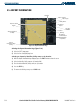
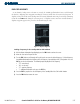
The following descriptions and abbreviations are used on the airport runway information box:
• Type – Usage type: Public, Military, or Private
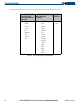
• Surface – Runway surface types include: Hard, Turf, Sealed, Gravel, Dirt, Soft, Unknown, or Water
• Lighting – Runway lighting types include: No Lights, Part Time, Full Time, Unknown, or Frequency (for
pilot-controlled lighting)
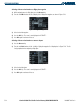
Selecting a runway:
1) With the Airport Information Page displayed, press the
FMS
Knob
to activate the cursor.
2) Place the cursor on the ‘RUNWAYS’ identifier field.
3) Turn the small
FMS
Knob to display the next runway for the selected airport. Continue turning the small
FMS
Knob to select the desired runway.
4) To remove the flashing cursor, press the
FMS
Knob
.
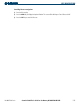
Viewing a recent airport list:
1) Select any Airport Information Page.
2) Press the M
ENU
Key.
3) Highlight ‘View Recent Airport’ list.
4) Press the E
NT
Key. A list containing the most recent 16 airports is displayed.
5) Select an airport.
6) Press the E
NT
Key. The Airport Information page for the selected airport is displayed.