
User Guide





Garmin G1000 Pilot’s Guide for the Diamond DA42
190-00649-00 Rev. A4-18
AUDIO PANEL AND CNS
FREQUENCY TRANSFER ARROW
NOTE: When a COM signal is received or transmitted, the Frequency Transfer Arrow is replaced by a white
RX or TX indication.
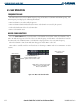
The Frequency Transfer Arrow
is displayed between the COM and NAV active and standby frequencies for the
active radio. Pressing the
Frequency Transfer
Key transfers the frequencies. Pressing the small
COM
or
NAV
Knob transfers the frequency tuning box and the Frequency Transfer Arrow between the radios.
Figure 4-18 Transferring NAV and COM Frequencies
Pressing the
COM Frequency
Transfer
key transfers the COM
frequencies.
Pressing the
NAV Frequency
Transfer
key transfers the NAV
frequencies.