
User Guide

190-00649-00 Rev. A
Garmin G1000 Pilot’s Guide for the Diamond DA42
2-19
FLIGHT INSTRUMENTS
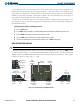
FLIGHT ID
NOTE: If the G1000 is set to variable (“PFD ENTRY”) and the flight ID entry field on the Timer/References
Window is not visible, the pilot should contact a Garmin-authorized Service Center.
Flight status automatic reporting of aircraft identification (ID) is transmitted from the transponder to the
ground stations and other aircraft.
The flight ID is set to fixed (“SAME AS TAIL” and “CONFIG ENTRY”) or variable (“PFD ENTRY”) at the
time of installation. The two fixed selections do not require any action from the pilot. The variable (“PFD
ENTRY”) flight ID requires the pilot to enter the flight ID in the Timer/References Window each time the
G1000 is powered on.
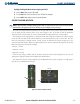
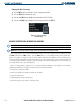
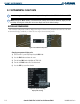
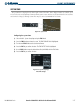
Entering or changing the flight ID:
1) Press the
TMR/REF
Softkey.
2) Press the
FMS
Knob to activate the selection cursor.
3) Use the FMS Knob to enter the desired flight ID and press the
ENT
Key.
4) To remove the window, press the CLR Key or the TMR/REF Softkey.
If an error is made while entering a flight ID, the
CLR Key can be used to delete characters. If an incorrect
flight ID is discovered after the unit begins operation, reenter the correct flight ID using the preceding
procedure.