
User Guide





190-00649-00 Rev. A
Garmin G1000 Pilot’s Guide for the Diamond DA42
B-3
APPENDIX B
After the data has been copied to both cards, perform the following steps:
1) Insert one card in the bottom card slot of the MFD and one in the bottom card slot of the PFD.
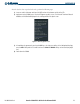
2) Apply power to the G1000 System. View the MFD power-up splash screen. Check that the Terrain and Obstacle
databases are initialized and displayed in the scrolling portion of the splash screen.
Figure B-1 Power-Up Splash Screen
3) Acknowledge the agreement by pressing the
ENT
Key or the right most softkey. At the Navigation Map Page,
press the
MAP
Softkey and check to make sure that the
TOPO
and
TERRAIN
softkeys are functional (not grayed
out).
4) Power down the G1000.