
User Guide




Garmin G1000 Pilot’s Guide for the Diamond DA42
190-00649-00 Rev. A8-4
ADDITIONAL FEATURES
ACTIVE CHANNEL
The Active Channel field on the XM Radio Page displays the currently selected channel that the XM Radio
is using. The channel feature is used to navigate through the channels in the selected category. You can step
through the channels one at a time or you may also select a channel directly by channel number.
CHANNELS
The Channels Box on the XM Radio Page shows a list of the available channels for the selected category.
Stepping through channels one at a time:
1) While on the XM Radio Page, select the
CHNL
Softkey.
Or:
2) Push the
FMS
Knob to highlight the channel list and turn the large
FMS
Knob to scroll through the channels.
3) Select the CH + Softkey to go up through the list in the Channel Box, or move down the list with the CH –
Softkey.
Selecting a channel directly:
1) While on the XM Radio Page, select the CHNL Softkey.
2) Select the DIR CH Softkey. The channel number in the Active Channel Box will be highlighted.
3) Select the numbered softkeys located on the bottom of the display to directly select the desired channel
number.
4) Press the ENT Key to activate the selected channel.
CATEGORY
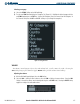
The ‘Category’ field of the XM Radio Page displays the currently selected category of audio. Categories of
channels such as jazz, rock, or news can be selected to list the available channels for a type of music or other
contents. One of the optional categories is ‘PRESETS’ if the user desires to view what channels have been
programmed.