
User Guide




190-00649-00 Rev. A
Garmin G1000 Pilot’s Guide for the Diamond DA42
8-3
ADDITIONAL FEATURES
XM RADIO PAGE
The XM Radio Page (Figure 8-2) provides information and control of the audio entertainment features of the
XM Satellite Radio.
Figure 8-2 XM Radio Page
Volume
Field
Categories
Field
Channel
List
Active
Channels
XM RADIO SOFTKEYS
The following XM Radio softkeys are located below the display:
RADIO – Select the RADIO Softkey to access the XM Satellite Radio audio functions.
INFO – Select the INFO Softkey to show XM Information, such as Radio IDs, Service Class, and Weather
Products.
DONE – The DONE Softkey is used during the activation process.
CHNL – Select the CHNL Softkey to allow selection of radio channels.
CATGRY
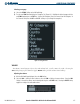
– Select the CATGRY Softkey to allow selection of radio categories (Figure 8-3).
VOL – Select the VOL Softkey to adjust the audio volume or to mute the audio (Figure 8-4).
PRESETS – Select the PRESETS Softkey to access preset channels (PS1 - PS15) or to set a new preset
(SET).