
User Guide



190-00649-00 Rev. A
Garmin G1000 Pilot’s Guide for the Diamond DA42
6-1
HAZARD AVOIDANCE
SECTION 6 HAZARD AVOIDANCE
WARNING: Do not use any G1000 Weather Data for thunderstorm penetration. Weather Data is approved
only for weather avoidance, not penetration.
WARNING: NEXRAD weather data is intended for long-range planning purposes only. Due to inherent
delays and relative age of the data, NEXRAD weather should not be used for short-range avoidance of
weather. XM Weather information is not intended for hazardous weather penetration. Weather information
is provided only for weather avoidance.
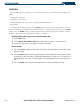
This section describes the hazard avoidance features of the G1000 system:
Weather
• L-3 STORMSCOPE® WX-500 Series II Weather Mapping Sensor
• XM Weather
Traffic
• Bendix/King KTA 870
• Avidyne TAS600 Series
• TIS (Traffic Information Service)
Terrain
• Terrain and Obstacle Proximity
Customizing the Hazard Display on the Navigation Map:
1) With the Navigation Map Page displayed, press the
MENU
Key to display the Navigation Map Page
Menu
. The
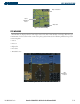
cursor flashes on the ‘Map Setup’ Option (Figure 6-1).
2) Press the
ENT
Key to display the Map Setup Menu (Figure 6-2).
3) Turn the small
FMS
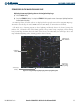
Knob to select the ‘Weather’ or ‘Traffic’ group to customize the display of features (Figure 6-3).
Select ‘Weather’ to customize the display of weather. Select ‘Traffic’ to customize the display of traffic.
4) Press the
FMS
Knob or press and hold the
CLR
Key to return to the Navigation Map Page.
Refer to the Navigation Section for Navigation Map setup instructions.
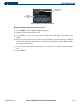
Figure 6-3 Map Setup Group List
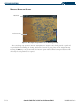
Figure 6-2 Map Setup Menu
Figure 6-1 Page Menu