
User Guide




5-120 190-00649-00 Rev. A
Garmin G1000 Pilot’s Guide for the Diamond DA42
GPS NAVIGATION
Terrain Data
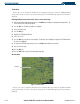
Terrain data can be enabled or disabled on the Navigation Map Page using the ‘TERRAIN DATA’
setting. A data range can also be selected. The data range is the maximum map range that terrain data is
displayed.
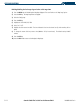
Enabling/disabling terrain data and to select a terrain data range:
1) With the Navigation Map Page displayed, press the
MENU
Key to display the Navigation Map Page Menu. The
cursor flashes on the ‘Map Setup’ option.
2) Press the
ENT
Key. The Map Setup Menu is displayed.
3) Select the ‘Map’ group.
4) Press the
ENT
Key.
5) Highlight the ‘TERRAIN DATA’ field.
6) Select ‘On’ or ‘Off’.
7) Press the
ENT
Key to accept the selected option. The flashing cursor highlights the range field. TERRAIN ranges
are from Off to 2000 nm.
8) To change the TERRAIN range setting, turn the small
FMS
Knob to display the range list.
9) Select the desired range
10) Press the
ENT
Key.
11). Press the
FMS
Knob to return to the Navigation Map Page.
Obstacle Data
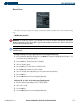
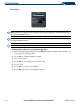
Figure 5-83 Obstacle Data
Obstacles
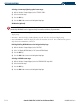
Obstacle data can be enabled or disabled on the Navigation Map Page using the ‘OBSTACLE DATA’
setting. A data range can also be selected. The data range is the maximum map range that terrain data is
displayed.