
User Guide





5-102 190-00649-00 Rev. A
Garmin G1000 Pilot’s Guide for the Diamond DA42
GPS NAVIGATION
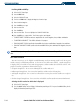
Setting the generic timer value:
1) Select the Utility Page.
2) Press the
FMS
Knob
.
3) Select the time field (hh/mm/ss).
4) Set the desired time.
5) Press the
ENT
Key.
Setting the flight timer starting criteria (PWR-IN, IN-AIR):
1) Select the Utility Page.
2) Press the
FMS
Knob
.
3) Select the ‘FLIGHT’ field.
4) Turn the
small FMS
Knob to display the selection window.
5) Select either PWR-ON or IN-AIR
6) Press the
ENT
Key.
Setting the departure timer starting criteria (PWR-IN, IN-AIR):
1) Select the Utility Page.
2) Press the
FMS
Knob
.
3) Select the ‘DEPARTURE TIME’ field.
4) Turn the
small FMS
Knob to display the selection window.
5) Select either PWR-ON or IN-AIR.
6) press the
ENT
Key.
Resetting the flight timer:
1) Select the Utility Page.
2) Press the
MENU
Key.
3) Select ‘Reset Flight Timer’.
4) Press the
ENT
Key.
Resetting the departure timer:
1) Select the Utility Page.
2) Press the
MENU
Key.
3) Select ‘Reset Departure Time’.
4) Press the
ENT
Key.