
User Guide

5-88 190-00649-00 Rev. A
Garmin G1000 Pilot’s Guide for the Diamond DA42
GPS NAVIGATION
OPERATIONS
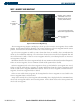
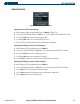
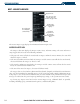
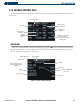
Selecting the Nearest User Waypoint Page:
1) Select the ‘NRST’ page group.
2) Select the fifth rectangular page icon.
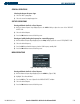
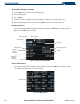
Selecting a nearest user waypoint:
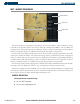
1) With the Nearest User Waypoint Page displayed, press the
FMS
Knob to activate the cursor.
If any previously
entered user waypoints are within 200 nm, these will be displayed with the closest listed first.
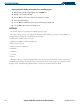
2) Turn the
FMS
Knob to select the desired waypoint. The remaining information on the Nearest User Waypoint
Page pertains to the selected Nearest User Waypoint.
3) Press the
FMS
Knob
to remove the flashing cursor.