
User Guide



5-80 190-00649-00 Rev. A
Garmin G1000 Pilot’s Guide for the Diamond DA42
GPS NAVIGATION
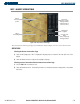
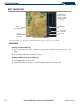
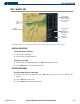
The Nearest Airports Page (Figure 5-50) displays detailed information for five nearest airports, with a scroll
bar along the right-hand side of the page indicating the part of the list that is currently being viewed. Not all 25
nearest airports, VORs, NDBs, intersections, or user waypoints can be displayed on the corresponding Nearest
Page at one time. The Nearest Airspaces Page displays detailed information for up to 3 special use or controlled
airspace alerts. The NRST pages for VORs, NDBs, intersections, and user waypoints display eleven waypoints
at a time.
The Nearest Airports Page displays the information shown in Figure 5-50 for a selected airport.
GENERAL OPERATIONS
Selecting the Nearest Airports Page:
1) Select the ‘NRST’ page group.
2) Select the first rectangular page icon.
Selecting a nearest airport:
1) With the Nearest Airport Page displayed, press the FMS Knob to activate the cursor.
2) Turn the
FMS
Knob to select the desired nearest airport.
SOFTKEY OPERATIONS
Accessing information for a specific airport:
1) With the Nearest Airports Page displayed, press the
APT
Softkey or press the
FMS
Knob to place the cursor in
the ‘NEAREST AIRPORTS’ field. The first airport in the nearest airports list is highlighted.
2) Press the
FMS
Knob.
3) Highlight the desired airport.
4) Press the
FMS
Knob
to remove the flashing cursor.
Accessing runway information for the selected airport:
1) With the Nearest Airports Page displayed, press the
RNWY
Softkey to place the cursor in the ‘RUNWAYS’ field.
2) Select the desired runway.
3) Press the
FMS
Knob
to remove the flashing cursor.
Quickly tuning the COM transceiver to a nearby airport frequency:
1) With the Nearest Airports Page displayed, press the
FREQ
Softkey to place the cursor in the ‘FREQUENCIES’
field.
2) Turn either
FMS
Knob to select the desired frequency.
3) Press the
ENT
Key. The selected frequency is placed in the COM standby frequency tuning box.
4) Press the
Frequency Transfer
Key to place the frequency in the active field.
5) Press the
FMS
Knob
to remove the flashing cursor.