
User Guide



5-13
GPS NAVIGATION
190-00649-00 Rev. A
Garmin G1000 Pilot’s Guide for the Diamond DA42
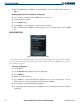
Once a flight plan is created, it can be activated for navigation using ‘Activate Flight Plan’.
Activating (begin navigating) an existing flight plan:
1) Press the
FPL
Key.
2) Turn the small
FMS
Knob to display the Flight Plan Catalog Page.
3) Press the
FMS
Knob to activate the cursor.
4) Highlight the desired flight plan.
5) Press the
MENU
Key.
6) Select ‘Active Flight Plan’.
7) Press the
ENT
Key. The ‘Activate Stored Flight Plan?’ window appears.
8) With ‘OK’ highlighted, press the
ENT
Key to activate the flight plan. To cancel the operation, highlight ‘CANCEL’
and press the
ENT
Key.
‘Invert & Activate FPL’ allows the active flight plan to be inverted and activated for navigation.
Inverting and activating a flight plan:
1) Press the
FPL
Key.
2) Turn the small
FMS
Knob to display the Flight Plan Catalog Page.
3) Press the
FMS
Knob
to activate the cursor.
4) Highlight the desired flight plan.
5) Press the
MENU
Key.
6) Highlight ‘Invert & Activate FPL’.
7) Press the
ENT
Key. The ‘Invert and activate stored flight plan?’ window is displayed.
8) With ‘OK’ highlighted, press the
ENT
Key. To cancel the operation, highlight ‘CANCEL’ and press the
ENT
Key.