
User Guide



190-00649-00 Rev. A
Garmin G1000 Pilot’s Guide for the Diamond DA42
4-45
AUDIO PANEL AND CNS
FLIGHT ID REPORTING
NOTE: If the FLT ID is required but the system is not configured for it, contact a Garmin authorized service
center for configuration.
When the flight crew must enter the Flight ID before flight operation, the number is entered in the
Timer/References Window. If configuration is set to “SAME AS TAIL” the aircraft tail number will always be
displayed.
Entering a flight ID:
1) Press the
TMR/REF
Softkey to display the Timer/References Window.
2) Press the
FMS
Knob to activate the selection cursor.
3) Turn the
FMS
Knob to enter the desired FLT ID.
4) Press the
ENT
Key to complete FLT ID entry.
If you make an error entering a FLT ID, you can press the
CLR Key to back up to any point. If an incorrect
FLT ID is discovered after the unit begins operation, go back to step 1) and reenter the correct FLT ID.
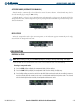
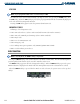
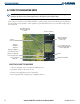
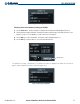
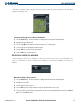
Figure 4-54 Timer/References Window
Flight ID