
User Guide


190-00649-00 Rev. A
Garmin G1000 Pilot’s Guide for the Diamond DA42
4-31
AUDIO PANEL AND CNS
WPT – AIRPORT INFORMATION PAGE
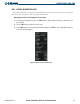
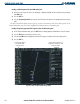
The Airport Information Page displays runway information and a list of frequencies for the selected airport
identifier as well as departure, arrival, and approach information.
Displaying the entire list of frequencies for an airport:
1) On the Airport Information Page, press the
INFO
Softkey to display runway and frequency information for a
specific airport.
2) Press the
FMS
Knob to activate the selection cursor.
3) Turn the
FMS
Knob to select the desired airport identifier and press the
ENT
Key. A list of all available frequencies
for the selected airport appears.
Figure 4-36 WPT – Airport Information Page