
User Guide


Garmin G1000 Pilot’s Guide for the Diamond DA42
190-00649-00 Rev. A4-26
AUDIO PANEL AND CNS
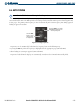
TUNING AND TRANSFERRING ADF FREQUENCIES
ADF frequencies in the 190.0 kHz to 1799.5 kHz range are entered in the standby ADF frequency field
of the ADF/DME Tuning Window. The G1000 system does not tune the ADF emergency frequency, 2182.0
kHz.
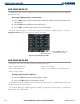
Entering an ADF frequency:
1) Turn the large
FMS
Knob to place the selection cursor over the standby ADF frequency field.
2) Turn the small
FMS
Knob to begin data entry and change each digit.
3) Turn the large
FMS
Knob to move the cursor to the next digit position.
4) Press the
ENT
Key to complete data entry for the standby frequency.
Pressing the
CLR
Key before completing frequency entry cancels the frequency change and reverts back
to the previously entered frequency.
Pressing the
CLR
Key when the cursor is flashing, clears the frequency and replaces the standby field
with ‘0000.0’.
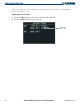
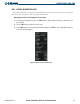
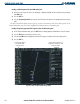
Figure 4-30 Entering ADF Standby Frequencies
Press the
ENT
key
to complete ADF
frequency entry.
Turn the small
FMS
knob to
enter data in the standby
ADF frequency field.
Turn the large
FMS
knob
to move the cursor to
the next character.
ADF Frequency Entered
in Standby Field
Press the
CLR
key
to enter frequency
0000.0