
User Guide




190-00592-01 Rev. A
Garmin G1000 Pilot’s Guide for the Diamond DA40/40F
6-23
HAZARD AVOIDANCE
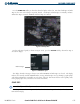
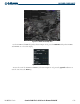
Figure 6-31 Surface Analysis Legend
FREEZING LEVELS
Freezing Level data shows the color-coded contour lines for freezing levels. When no data is displayed
for a given altitude for any of the weather features, the data for that altitude has not been received or is out
of date and has been removed from the display. New data appears at the next update.
Press the MORE WX
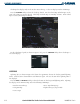
Softkey and then the FRZ LVL Softkey to display Freezing Level data. Freezing
Levels data displays on the Weather Data Link page (as shown in Figure 6-32). It does not display on other
G1000 maps.
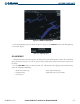
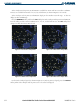
Figure 6-32 Freeze Level Data with Cloud Tops
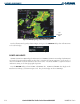
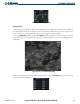
For the Freezing Level legend (as shown in Figure 6-33), press the LEGEND Softkey when Freezing
Level is selected to be displayed.
Figure 6-33 Freeze Level Legend