
User Guide


190-00592-01 Rev. A
Garmin G1000 Pilot’s Guide for the Diamond DA40/40F
5-103
GPS NAVIGATION
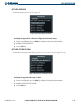
ACTIVATE APPROACH
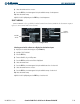
‘ACTIVATE APPROACH’ activates the approach.
Figure 5-101 Activate Approach Selection
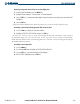
Activating the approach for a direct-to or flight plan destination airport:
1) From an active flight plan, press the PROC Key to display the Procedures Options Window.
2) Highlight ‘ACTIVATE APPROACH’.
3) Press the ENT Key.
ACTIVATE VECTOR-TO-FINAL
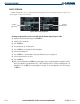
‘ACTIVATE VECTOR-TO-FINAL’ allows the pilot to select vectors to the final approach course.
Figure 5-102 Activate Vector-To-Final Selection
Activating the approach with vectors to final:
1) From an active flight plan, press the PROC Key to display the Procedures Options Window.
2) Highlight ‘ACTIVATE VECTOR-TO-FINAL’.
3) Press the ENT Key.