
User Guide




Garmin G1000 Pilot’s Guide for the Diamond DA40/40F
190-00592-01 Rev. A5-92
GPS NAVIGATION
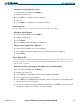
Figure 5-93 Activate Leg Option
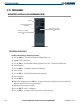
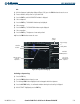
Viewing a Departure Airport:
1) Select the Departure Information Page.
2) Press the M
ENU
Key.
3) Highlight ‘View Departure Airport’.
4) Press the E
NT
Key. The Departure Airport Page is displayed.
OR:
1) Select the Approach Information Page.
2) Press the M
ENU
Key.
3) Highlight ‘View Departure Airport’.
4) Press the E
NT
Key. The Departure Information Page is displayed.
OR:
1) Select the Arrival Information Page.
2) Press the M
ENU
Key.
3) Highlight ‘View Departure Airport’.
4) Press the E
NT
Key. The Departure Information Page is displayed.
5) Enter an identifier, facility, or city name for the departure airport.
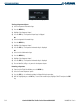
Removing a departure:
1) From the Active Flight Plan Window, press the
MENU
Key.
2) Select the ‘Remove Departure’ option.
3) Press the E
NT
Key. A confirmation window is displayed listing the procedure.
4) With ‘OK’ highlighted, press the
ENT
Key. To cancel the removal request, highlight ‘CANCEL’ and press the
ENT
Key.