
User Guide


190-00592-01 Rev. A
Garmin G1000 Pilot’s Guide for the Diamond DA40/40F
5-77
GPS NAVIGATION
WAYPOINT DELETION
Deletion of a lateral waypoint results in deletion of any vertical constraints at that lateral waypoint. If
the altitude of an along track offset waypoint is deleted, the entire waypoint is deleted. Deleting a parent
waypoint also deletes any child waypoint consisting of the deleted parent and an along track offset. Deleting
the existing along track offset waypoint and creating a new one modifies along track offset distances.
Deleting individual waypoints from the flight plan (except waypoints in the final approach
segment):
1) Select the Active Flight Plan Page.
2) Select the waypoint that is to be deleted.
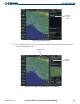
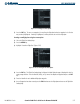
3) Press the CLR Key. A confirmation window is displayed listing the waypoint (Figure 5-76).
4) With ‘OK’ highlighted, press the ENT Key. To cancel the removal request, highlight ‘CANCEL’ and press the ENT
Key.
Figure 5-76 Removal Confirmation Window
Adding a waypoint to a flight plan:
1) Select the Flight Plan Catalog Page
2) Highlight the desired flight plan.
3) Press the EDIT Softkey.
4) To add a waypoint to the flight plan, select the point in the plan where the new waypoint is to be added. If an
existing waypoint is highlighted, the new waypoint is placed directly in front of this waypoint.
5) Enter the identifier, facility, or city of the new waypoint.
6) Press the ENT Key. The new waypoint now exists in the flight plan.
Copying a flight plan into another storage slot:
1) Select the Flight Plan Catalog Page.
2) Highlight the desired flight plan.
3) Press the MENU Key.
4) Highlight ‘Copy Flight Plan’.
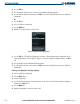
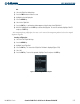
5) Press the ENT Key. A ‘Copy to flight plan?’ confirmation window is displayed.
6) With ‘OK’ highlighted, press the ENT Key to copy the flight plan. To cancel, highlight ‘CANCEL’ and press the
ENT Key.