
User Guide


Garmin G1000 Pilot’s Guide for the Diamond DA40/40F
190-00592-01 Rev. A5-70
GPS NAVIGATION
4) Press the ENT Key.
5) Enter the identifier, facility name, or city name for each additional flight plan waypoint.
6) Once all waypoints have been entered, press the FMS Knob to store the flight plan and return to the Flight Plan
Catalog Page.
OR:
1) Press the FPL Key.
2) Select the Flight Plan Catalog Page.
3) Press the MENU Key.
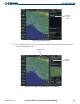
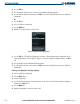
4) Highlight ‘Create New Flight Plan’ (Figure 5-65).
Figure 5-65 Flight Plan Catalog Page Menu
5) Press the ENT Key. The Flight Plan Catalog Page is displayed. A blank flight plan page is displayed for the first
empty storage location. Enter the identifier, facility, or city name of the departure waypoint and press the ENT
Key.
6) Enter the identifier for each additional flight plan waypoint.
7) Once all waypoints have been entered, press the FMS Knob to store the flight plan and return to the Flight Plan
Catalog Page.
Creating a new flight plan using map panning:
1) Select the Flight Plan Catalog Page.
2) Press the NEW Softkey.
3) Activate map panning.
4) Select the desired map location. Undefined locations on the map if selected will be assigned the designation
starting with USR000, 001, etc.
5) Press the MENU Key.
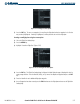
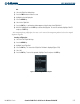
6) Highlight ‘Load Waypoint’ from the list (Figure 5-66).