
User Guide



Garmin G1000 Pilot’s Guide for the Diamond DA40/40F
190-00592-01 Rev. A5-66
GPS NAVIGATION
5.17 NEAREST USER WAYPOINT
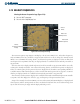
Selecting the Nearest User Waypoint Page (Figure 5-61):
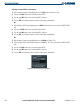
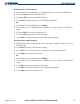
1) Select the ‘NRST’ page group.
2) Select the first rectangular page icon.
Figure 5-61 Nearest User Waypoint Page
Nearest User
Waypoint
Name, Symbol,
Bearing,
Distance
User Waypoint
Displayed on Map
Reference
Waypoints
User Waypoint
Information
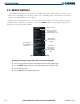
The Nearest User Waypoint Page (Figure 5-61) displays a list of up to the 25 nearest user waypoints that are
within 200 nm. Each list item includes the identifier, icon, bearing and distance to the user waypoint from the
current position. An arrow before the identifier indicates the selected user waypoint.