
User Guide



190-00592-01 Rev. A
Garmin G1000 Pilot’s Guide for the Diamond DA40/40F
5-51
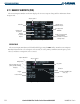
GPS NAVIGATION
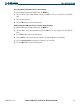
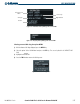
Accessing runway information for the selected airport:
1) With the Nearest Airports Page displayed, press the
MENU
Key.
2) Select the option ‘Select Runway Window’ and press the
ENT
Key. The cursor is placed in the ‘RUNWAYS’
field.
3) Select the desired runway.
4) Press the
FMS
Knob
to remove the flashing cursor.
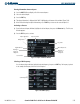
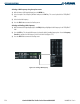
Quickly tuning the COM transceiver to a nearby airport frequency:
1) With the Nearest Airports Page displayed, press the
MENU
Key.
2) Select the option ‘Select Frequency Window’ and press the
ENT
Key. The cursor is placed in the ‘FREQUENCIES’
field.
3) Turn the
FMS
Knob to select the desired frequency.
4) Press the E
NT
Key. The selected frequency is placed in the COM standby frequency tuning box.
5) Press the
Frequency Transfer
Key to place the frequency in the active field.
6) Press the
FMS
Knob
to remove the flashing cursor.