
User Guide




190-00592-01 Rev. A
Garmin G1000 Pilot’s Guide for the Diamond DA40/40F
5-25
GPS NAVIGATION
PFD WINDOWS
PFD windows are displayed in the lower right corner of the PFD. PFD windows can display different types
of information, the discussion in this section of the pilot’s guide is limited to the following windows that pertain
to GPS navigation:
• Nearest
• Direct-to
• Flight Plan
• Procedures
• Timer/References
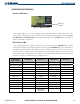
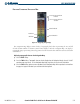
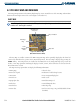
Figure 5-21 PFD Window Location
PFD
Window
Location
OPERATIONS
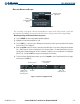
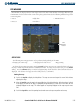
The following Inset Map operations can be performed independently of the MFD:
• Changing the zoom range • Changing the declutter level • Map panning
To change the Inset Map zoom range, turn the
Joystick
clockwise to increase or counterclockwise to decrease
the range. Zoom ranges from 500 feet to 2,000 nautical miles. To change the declutter level, press the
INSET
Softkey. Press the
DCLTR
Softkey to remove background map details until the desired amount of detail is
displayed. The declutter level appears in the softkey label (i.e., DCLTR-1).
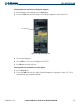
Panning the map:
1) Push in the
Joystick
to display the Map Pointer. The map can now move beyond its current limits without
adjusting the range.
2) Move the
Joystick
to pan the map in the general direction of the desired location. When the pointer is placed
on an object, the name of the object is highlighted for approximately 4 seconds (even if the name was not
originally displayed on the map). This feature applies to everything displayed on the map except for route
lines.
3) Push in the
Joystick
to cancel the panning function and return to the present position on the map.