
User Guide



190-00592-02 Rev. A
Garmin G1000 Pilot’s Guide for the Diamond DA40/40F
6-47
HAZARD AVOIDANCE
6.4 TRAFFIC INFORMATION SERVICE (TIS)
Warning
: The Traffic Information Service (TIS) is intended for advisory use only. TIS is intended to help the
pilot locate traffic visually. It is the responsibility of the pilot to see and maneuver to avoid traffic.
NOTE: The Traffic Information Service is available only when the aircraft is within the service volume of
a TIS-capable terminal radar site. Aircraft without an operating transponder are invisible to both Traffic
Advisory Systems (TAS) and Traffic Information Service (TIS). Aircraft without altitude reporting capability
are shown without altitude separation data or climb descent indication.
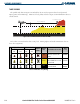
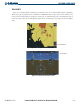
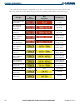
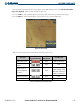
The Traffic Map Page (Figure 6-59) is the second page in the Map Group and displays the following
information:
• Current aircraft location
• Surrounding Traffic Information Service (TIS) traffic
• Range marking rings
• Current traffic mode
– OPERATE
– STANDBY
• Traffic alert messages
– FAILED
– DATA FAILED
– NO DATA
– UNAVAILABLE
• Traffic display banner of all possible system statuses
– AGE MM:SS
– TRFC COAST
– TA OFF SCALE
– TRFC RMVD
– TRFC FAIL
– NO TRFC DATA
– TRFC UNAVAIL
– TRAFFIC
Displaying traffic on the Traffic Map Page:
1) Select the Map Page Group.
2) Select the Traffic Map Page.
3) Press the
OPERATE
Softkey to begin displaying traffic. ‘TIS OPERATING’ is displayed in the upper left corner of
the page.
4) Press the
STANDBY
Softkey to place the system in the Standby mode. ‘TIS STANDBY’ displays in the upper left
corner of the page.
5) Turn the
Joystick
clockwise to display a larger area or counter-clockwise to display a smaller area.