
User Guide





190-00552-00 Rev. A
Garmin G1000 Pilot’s Guide for the Columbia 350/400
2-5
FLIGHT INSTRUMENTS
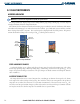
VSPEED REFERENCES
NOTE: Refer to the AFM for Vspeed values.
Vspeeds (Glide, V
X
, and V
Y
) can be changed and their flags turned ON/OFF from the Timer/References
Window. When active (ON), the Vspeeds are displayed at their respective locations to the right of the
airspeed scale. By default, all Vspeed values are reset and all flags turned OFF when power is cycled.
Changing Vspeeds and turning Vspeed flags ON/OFF:
1) Select the
TMR/REF
Softkey.
2) Turn the
large FMS
Knob to highlight the field of the desired Vspeed to be changed.
3) Enter the desired speed and press the
ENT
Key (when a speed has been changed from a default value, an
asterisk appears next to the speed).
4) With the flag ON/OFF field highlighted, turn the
small FMS
Knob clockwise to ON or counterclockwise to OFF.
5) To remove the window, press the
CLR
Key or the
TMR/REF
Softkey.
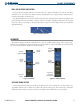
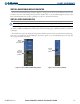
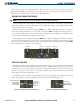
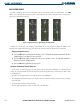
Figure 2-5 Timer/References Window Figure 2-6 Timer/References Menu
Turning all Vspeed flags ON/OFF:
1) Select the
TMR/REF
Softkey.
2) Press the
MENU
Key.
3) To turn all Vspeed flags ON, press the ENT Key with ‘All References ON’ highlighted.
4) To remove all Vspeed flags, turn the FMS Knob to highlight ‘All References OFF’.
5) Press the
ENT
Key.
Restoring all Vspeed defaults:
1) Select the
TMR/REF
Softkey.
2) Press the
MENU
Key.
3) Turn the
FMS
Knob to highlight ‘Restore Defaults’.
4) Press the
ENT
Key.