
User Guide




Garmin G1000 Pilot’s Guide for the Columbia 350/400
190-00552-00 Rev. A8-2
ADDITIONAL FEATURES
XM INFORMATION PAGE
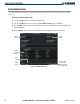
The XM Information Page provides XM Radio identification numbers, service level, and weather products
(Figure 8-1).
Selecting the XM Information Page:
1) Turn the large
FMS
Knob to select the Auxiliary Page Group.
2) Turn the small
FMS
Knob to select the AUX - XM Page. Radio and Info Softkeys are displayed.
3) Select the
INFO
Softkey to show the XM Information Page where information about the XM Satellite Radio
feature is displayed.
4) Select the
RADIO
Softkey to show the XM Radio Page where the audio entertainment is controlled.
RADIO
Softkey
Figure 8-1 XM Information Page
Audio
Radio ID
INFO
Softkey
Weather
Products
Window
Data
Radio ID
DONE Softkey.
Used to save
activation data
during initial setup.