
User Guide





190-00552-00 Rev. A
Garmin G1000 Pilot’s Guide for the Columbia 350/400
7-4
AUTOMATIC FLIGHT CONTROL SYSTEM
7.2 FLIGHT DIRECTOR OPERATION
The flight director function provides pitch and roll commands to the AFCS and displays them on the PFD.
With the flight director activated, the aircraft can be hand-flown to follow the path shown by the Command Bars.
The flight director also provides commands to the autopilot.
ACTIVATING THE FLIGHT DIRECTOR
Pressing the
FD
or
AP
Key (when the flight director is not active) activates the flight director in default pitch/
roll modes. Pushing the
Go Around Switch
or any fight director mode key activates the flight director in the
respective mode(s). The flight director may be turned off by pressing the
FD
Key. The FD Key is disabled when
the autopilot is engaged.
AFCS STATUS BOX
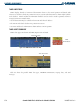
Flight director mode annunciations are displayed on the PFD when the flight director is active. Flight director
roll modes are shown on the left and pitch on the right. Armed modes are annunciated in white and active in
green. Autopilot status is displayed in the center of the AFCS Status Box.
Selected
Altitude
Command Bars
Figure 7-2 PFD AFCS Display
AFCS Status Box
Roll Modes
ActiveArmed
Autopilot
Status
Pitch Modes
Active ArmedMode
Reference