
User Guide


Garmin G1000 Pilot’s Guide for the Columbia 350/400
190-00552-00 Rev. A6-36
HAZARD AVOIDANCE
TERRAIN AND OBSTACLE PROXIMITY
NOTE:
Terrain data is not displayed when the aircraft latitude is greater than 75 degrees north or 60 degrees
south.
The Terrain and Obstacle Proximity feature increases situational awareness to avoid Controlled Flight Into
Terrain (CFIT). It provides look-ahead capability that gives a visual presentation of potential terrain and obstacle
hazards above and beneath the aircraft. Terrain and Obstacle Proximity requires the following components to
operate properly:
• Valid 3D GPS position
• Valid Terrain/Obstacle Database
The G1000 GPS provides the horizontal position and altitude. GPS altitude is derived from satellite position.
GPS altitude is then converted to a mean sea level (MSL)–based altitude (GPS–MSL Altitude) and is used to
determine terrain and obstacle proximity. GPS-MSL Altitude accuracy is affected by satellite geometry but is
not subject to variations in pressure and temperature that normally affect pressure altitude sensors. GPS–MSL
Altitude does not require local altimeter settings to determine MSL Altitude. GPS Altitude is a reliable MSL
altitude source used to calculate terrain and obstacle location.
Terrain and obstacle databases are referenced to mean sea level. Using the GPS position and altitude, the
Terrain and Obstacle Proximity feature portrays a 2D picture of the surrounding terrain and obstacles relative
to the position and altitude of the aircraft. The GPS position and GPS–MSL Altitude are used to calculate and
predict the aircraft’s flight path in relation to the surrounding terrain and obstacles. In this way, the pilot can
view predicted dangerous terrain and obstacle conditions.
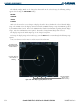
Terrain elevation is shown relative to the aircraft altitude in Figure 6-40. Obstacle symbols and color are
given in Table 6-3. Terrain and obstacles that are above the aircraft or less than 100 feet below the aircraft
altitude are shown in red. Those between 100 feet and 1000 feet below the aircraft altitude are shown in yellow.
Terrain and obstacles lower than 1000 feet below the aircraft altitude are shown in black.