
User Guide



190-00552-00 Rev. A
Garmin G1000 Pilot’s Guide for the Columbia 350/400
1-18
SYSTEM OVERVIEW
• PFD
Displays second-level softkeys for additional PFD configuration
METRIC
Displays current and Selected Altitudes in meters, in addition to feet; also changes barometric
setting to hectopascals (hPa) from inches of mercury (in Hg)
DFLTS
Resets PFD to default settings, including changing units to standard
BRG1
Cycles the Bearing 1 Information Window through:
NAV1: Waypoint frequency/identifier and DME information
GPS: Waypoint identifier and GPS distance information
OFF: Removes window
360 HSI
Displays HSI as a 360° compass rose
ARC HSI
Displays HSI as a 140° viewable arc (Bearing Information Windows unavailable)
BRG2
Cycles the Bearing 2 Information Window through:
NAV2: Waypoint frequency/identifier and DME information
GPS: Waypoint identifier and GPS distance information
OFF: Removes window
STD BARO Sets barometric pressure to 29.92 in Hg (1013 hPa if METRIC Softkey is selected)
• OBS
Selects OBS Mode on the CDI when navigating by GPS (only available with active leg)
• CDI
Cycles through GPS, VOR1, and VOR2 navigation sources on the HSI
• XPDR
Displays transponder mode selection softkeys:
STBY
Selects standby mode (Transponder does not reply to any interrogations)
ON
Selects Mode A (Transponder replies to interrogations)
ALT
Selects Mode C – altitude reporting mode (Transponder replies to identification and altitude
interrogations)
VFR
Automatically enters the VFR code (1200 in U.S.A. only)
CODE
Displays transponder code selection softkeys 0-7
0 — 7
Use numbers to enter code
BKSP
Removes numbers entered, one at a time
• IDENT
Activates the Special Position Identification (SPI) pulse for 18 seconds, identifying the
transponder return on the ATC screen
• TMR/REF
Displays/removes Timer/References Window
• NRST
Displays/removes Nearest Airports Window
• ALERTS
Displays/removes Alerts Window
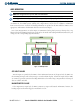
Figure 1-15 Top Level PFD Softkeys