
User Guide





5-123190-00552-00 Rev. A
Garmin G1000 Pilot’s Guide for the Columbia 350/400
GPS NAVIGATION
WEATHER GROUP
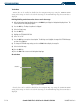
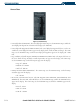
Figure 86 Weather Group
The ‘Weather’ group customizes the display of STORMSCOPE® and XM weather on the Navigation Map
Page.
STORMSCOPE (Optional)
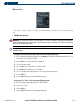
WARNING: The Stormscope system is not intended to be used for hazardous thunderstorm penetration.
Weather information on the G1000 MFD is approved for weather avoidance only. Refer to the WX-500
Pilot’s Guide for detailed operation.
NOTE: Refer to the Hazard Awareness Section for detailed information regarding the display of STORMSCOPE
and XM weather.
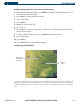
Enabling/disabling Stormscope lightning data on the Navigation Map Page:
1) With the Navigation Map Page displayed, press the
MENU
Key to display the Navigation Map Page
Menu
. The
cursor flashes on the ‘Map Setup’ option.
2) Press the
ENT
Key. The Map Setup Menu is displayed.
3) Select the ‘Weather’ group.
4) Press the
ENT
Key. The cursor flashes on ‘STRMSCP LTNG’.
5) Turn the
FMS
Knob to display the ‘On/Off’ window.
6) Select ‘On’ (display stormscope lightning) or ‘Off’ (remove stormscope lightning).
7) Press the
ENT
Key.
8) Press the
FMS
Knob to return to the Navigation Map Page.
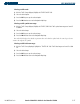
Selecting ‘cell’ or ‘strike’ as the Stormscope lightning mode:
1) With the ‘Weather’ group displayed, select ‘STRMSCP MODE’.
2) Select ‘Cell’ or ‘Strike’.
3) Press the
ENT
Key.
4) Press the
FMS
Knob to return to the Navigation Map Page.